Unipath
Designed to Make Campus Life Effortless
Role
End to End
Timeline
2025 WIN
Team
Individual Project
Skills
Product design, User research, Figma, User centered design
Overview
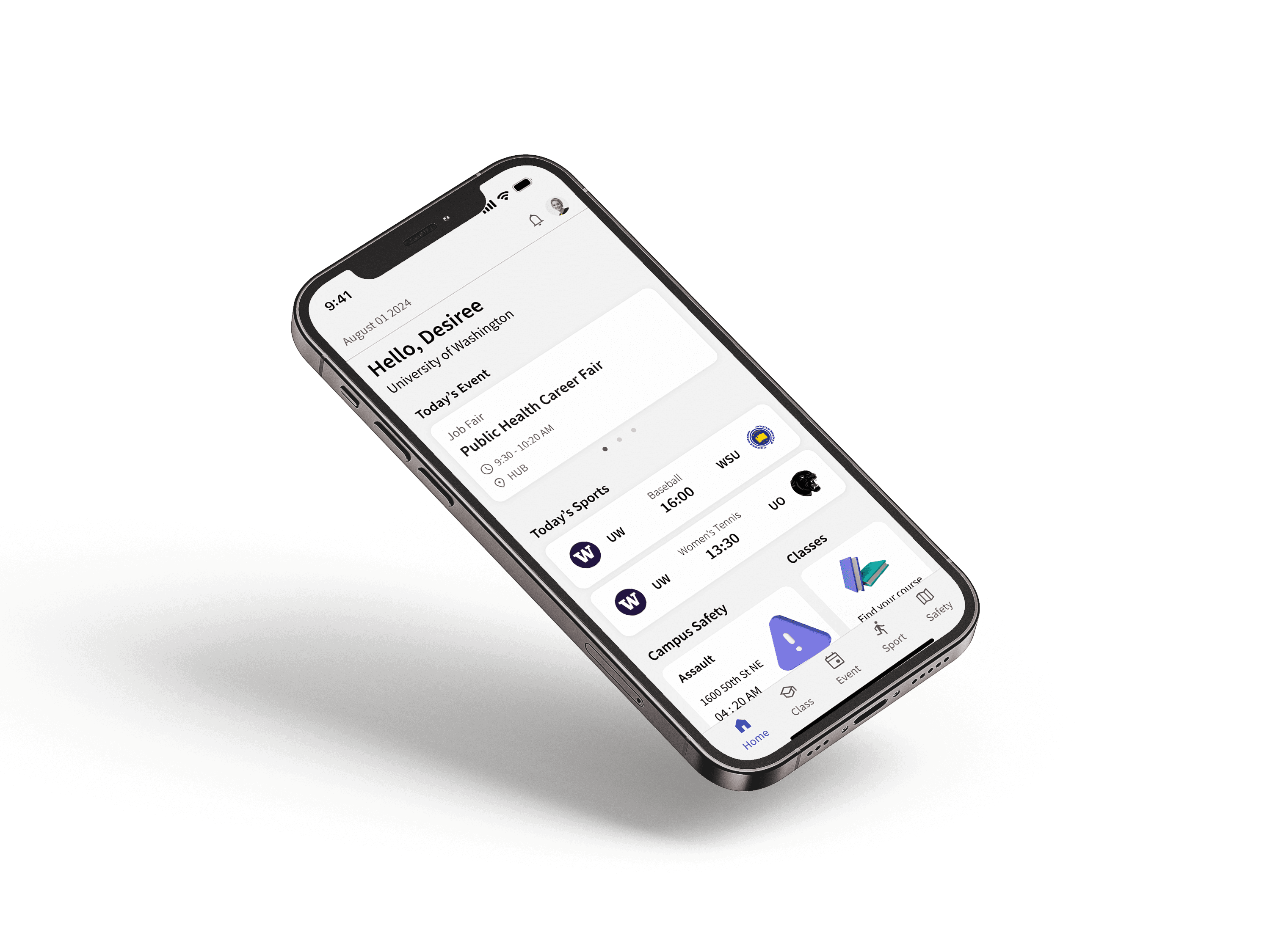
One app, all your campus needs.
This case study explores an app that centralizes academic resources, helping students manage their academic life more efficiently through a single, easy-to-use platform.
Problem
Fragmented University Information Across Multiple Platforms
Information related to college life is scattered across multiple platforms, forcing students to switch between tools to find what they need. This fragmentation leads to wasted time, frustration, and an inefficient academic experience.
Background
Students Face Barriers to Campus Engagement
Many students struggle to access timely and relevant information about campus events, making participation difficult. Poor communication and fragmented information continue to limit student engagement and negatively impact the overall college experience.
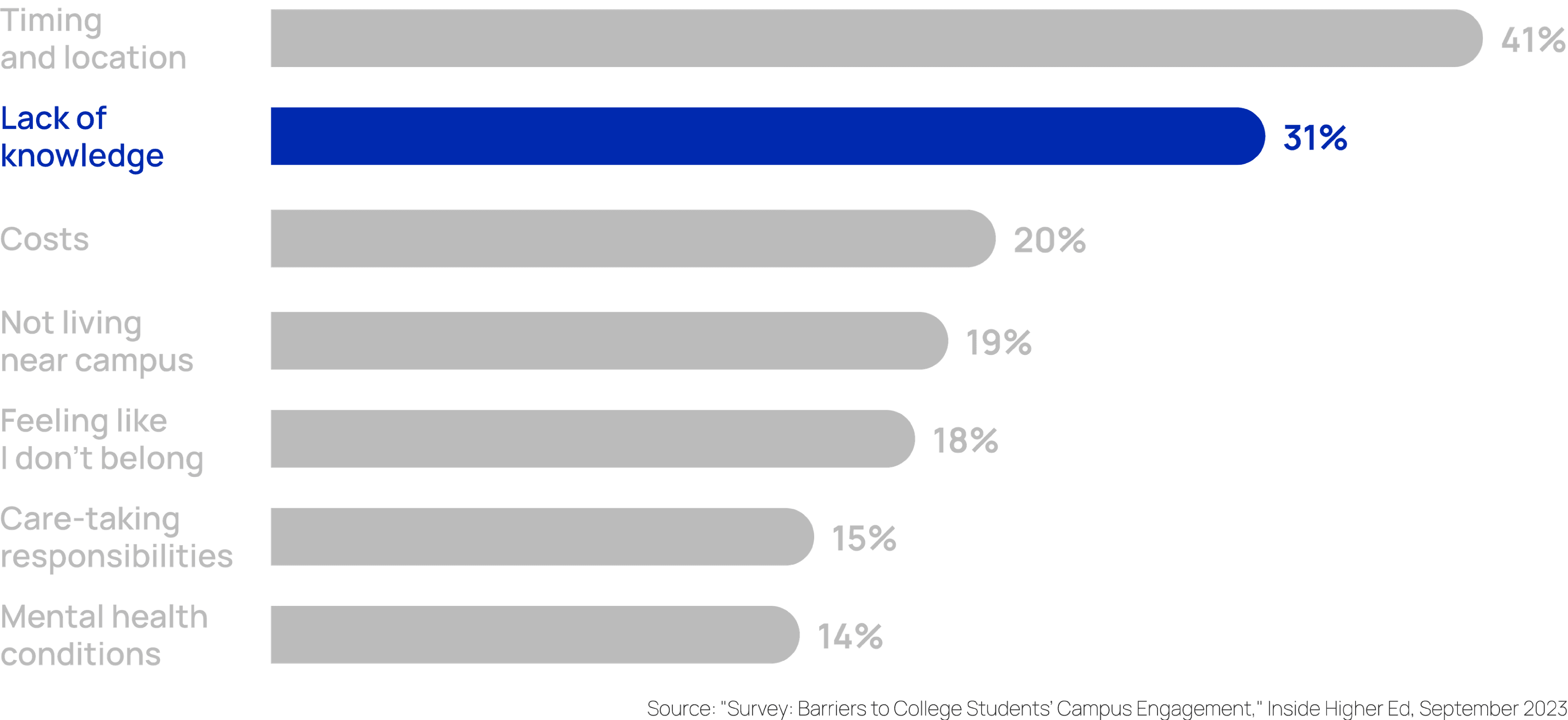
Barriers to college students' campus engagement graph
Interview
Students' difficulties in accessing current information
Based on interviews with UW students and a review of existing campus platforms.
Information Overload from Multiple Services
College students often face information overload as they navigate multiple platforms. Each service provides different information, making it difficult to gather a clear picture.
If I want to know about campus events, I might check the their Instagram page. Then, for course reviews, I have to go to Rate My Professor.
Interviewee 2
Lack of Reliability/Credibility
Information from services may not align, leading to discrepancies. Without a single, reliable source, students may struggle to trust the information they receive.
Sometimes the information I find on different platforms doesn’t match, and it’s hard to know which one to trust.
Interviewee 4
It’s frustrating when one site says one thing and another platform says something completely different. I don’t know which one is accurate.
Interviewee 2
Uncertainty About Campus Safety
International students and students new to Seattle expressed concerns about neighborhood safety and not knowing where to find reliable information about recent incidents around campus.
I’m not sure which areas around campus are actually safe, especially at night. I don’t really know where to check recent incidents.”
Interviewee 3
Competitive Anaylsis
Navigating disjointed platforms hurts student experience
No single platform provides a complete set of features students need. Each service covers only part of the experience, forcing students to switch between platforms to find reliable, usable, and trustworthy information.
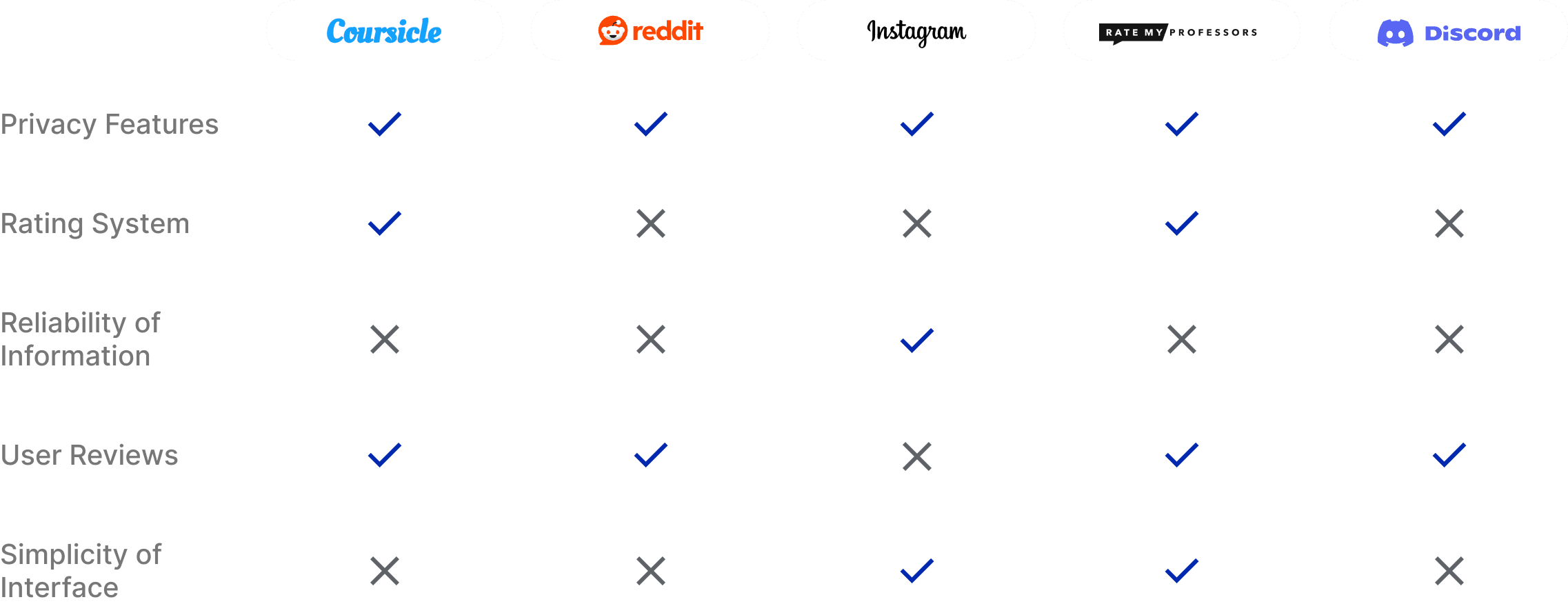
Analysis table of other school information services
Persona
Personas representing key student needs
We created personas to understand student needs better. Amanda, Ricky, and Jackson represent common challenges in campus life and academics.

Amanda
Freshmen
Pain Point
Struggles to find reliable academic information in one place.
I’m still figuring out campus life, and it’s hard to know where to find accurate, up-to-date information about classes, requirements, and academic resources.

Ricky
Sophomore
Pain Point
Misses campus events due to fragmented information.
I want to stay involved in campus events, but information is scattered across Instagram, Discord, and emails, so I often miss things.

Jackson
Freshman
Pain Point
Can’t easily discover social activities and things to do.
I want to hang out more and discover fun things to do on campus, but I don’t know where to find everything in one place.
Design Goal
Based on students' discomfort, we established 3 key goals
Through our interviews, research, and competitor analysis, we identified three key design goals aimed at addressing students' challenges and improving their overall experience.
Centralized Info
Gather essential college-related information
Efficient Navigation
Create an intuitive interface for easy access to information
Reliable Content
Ensure information is accurate and trustworthy
Information Architecture
Information architecture based on student needs
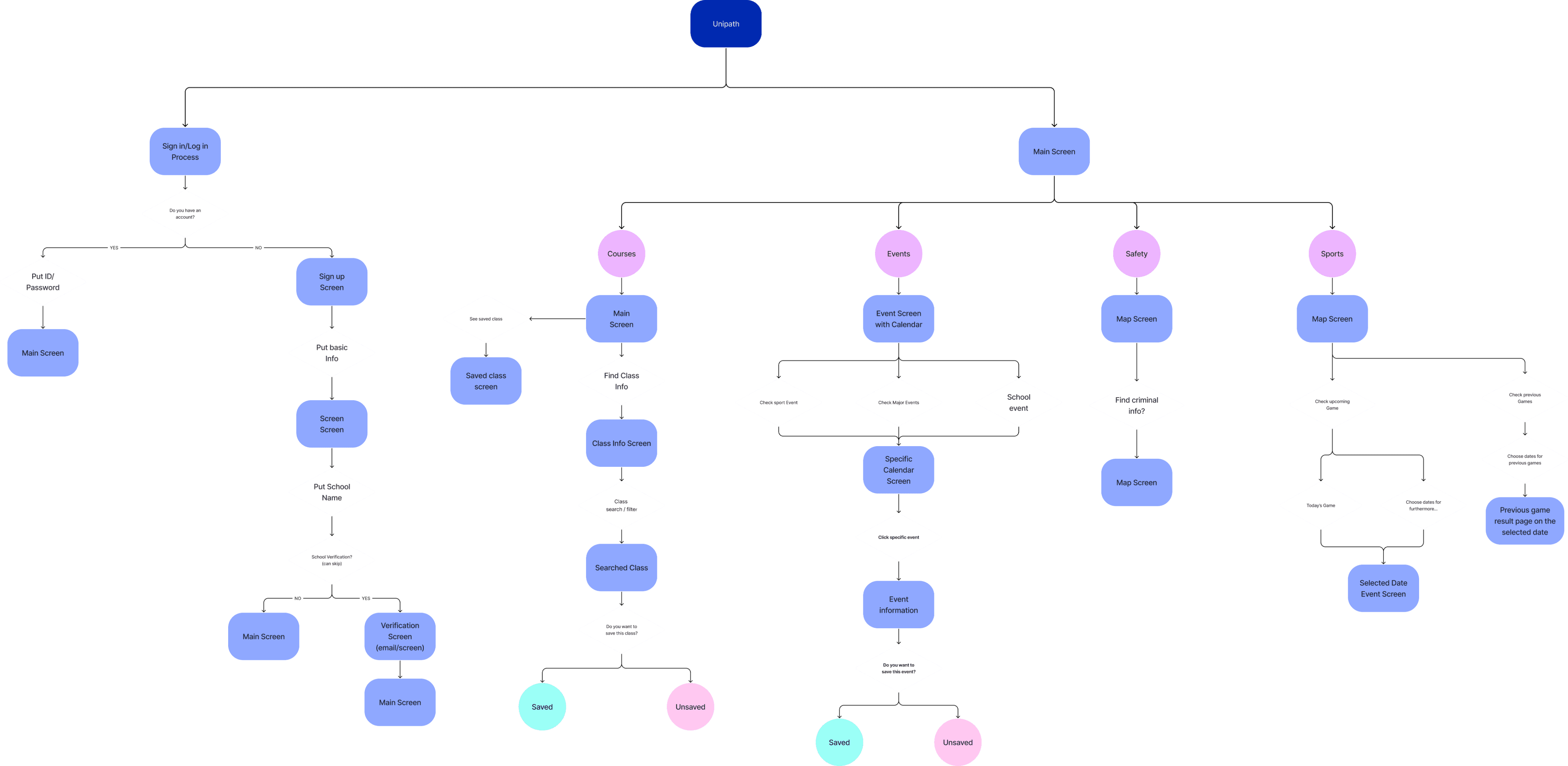
This information architecture consolidates classes, events, sports, and campus resources into a single hub, reducing the need for students to switch between multiple platforms.
User Flow
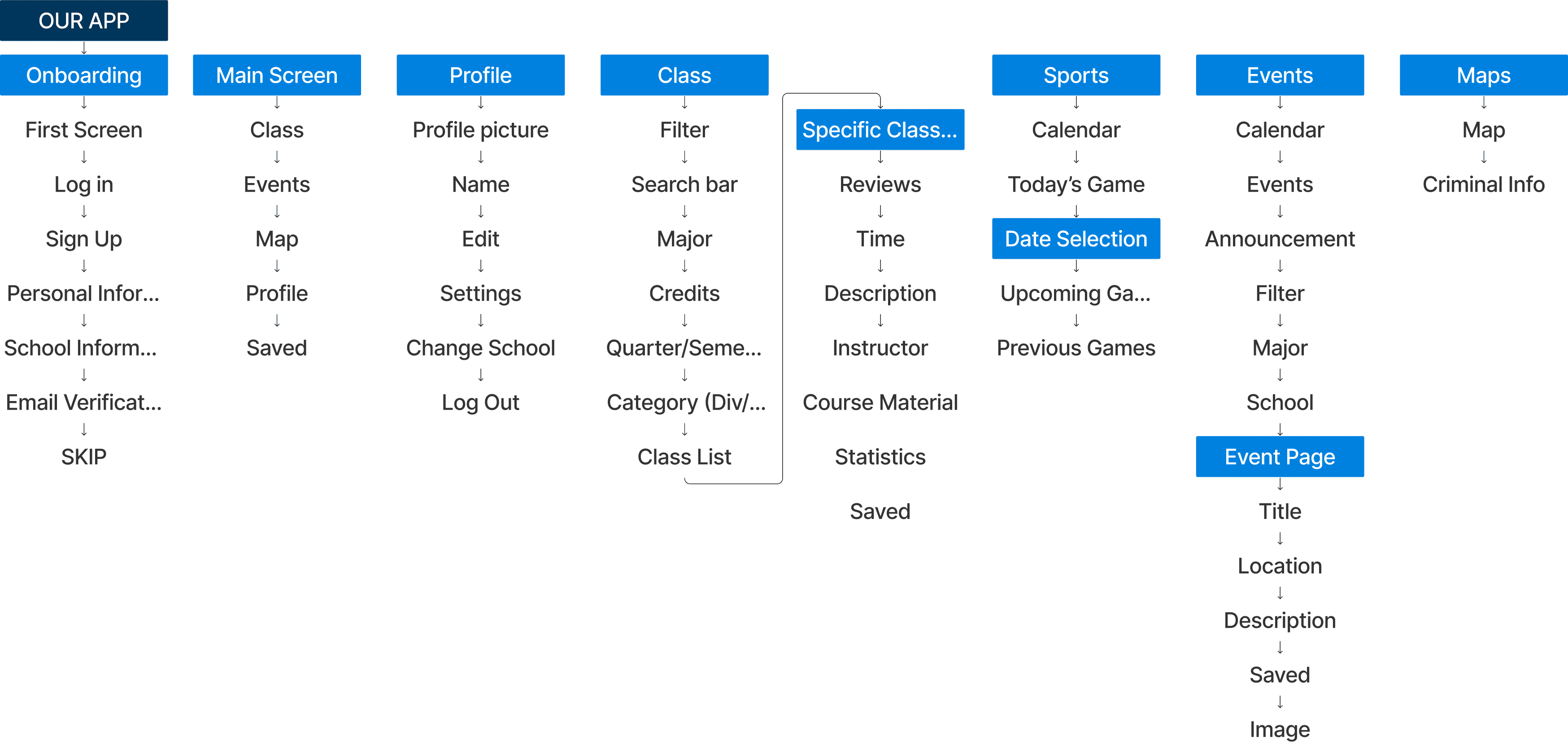
Guiding Students Through Core Campus Tasks
These user flows map how students complete core tasks—finding classes, discovering events, and checking campus resources—without switching between multiple platforms.
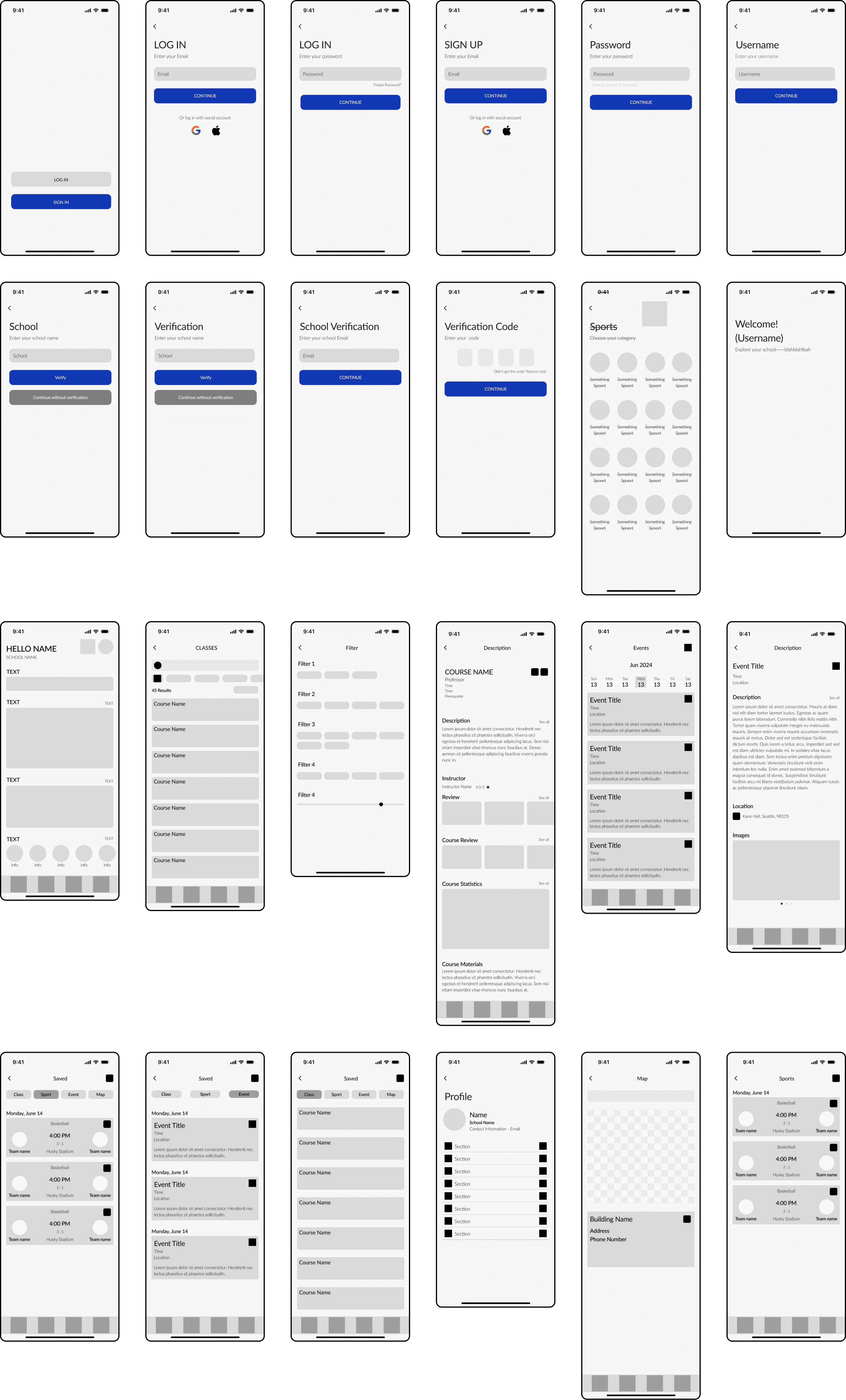
Wireframe
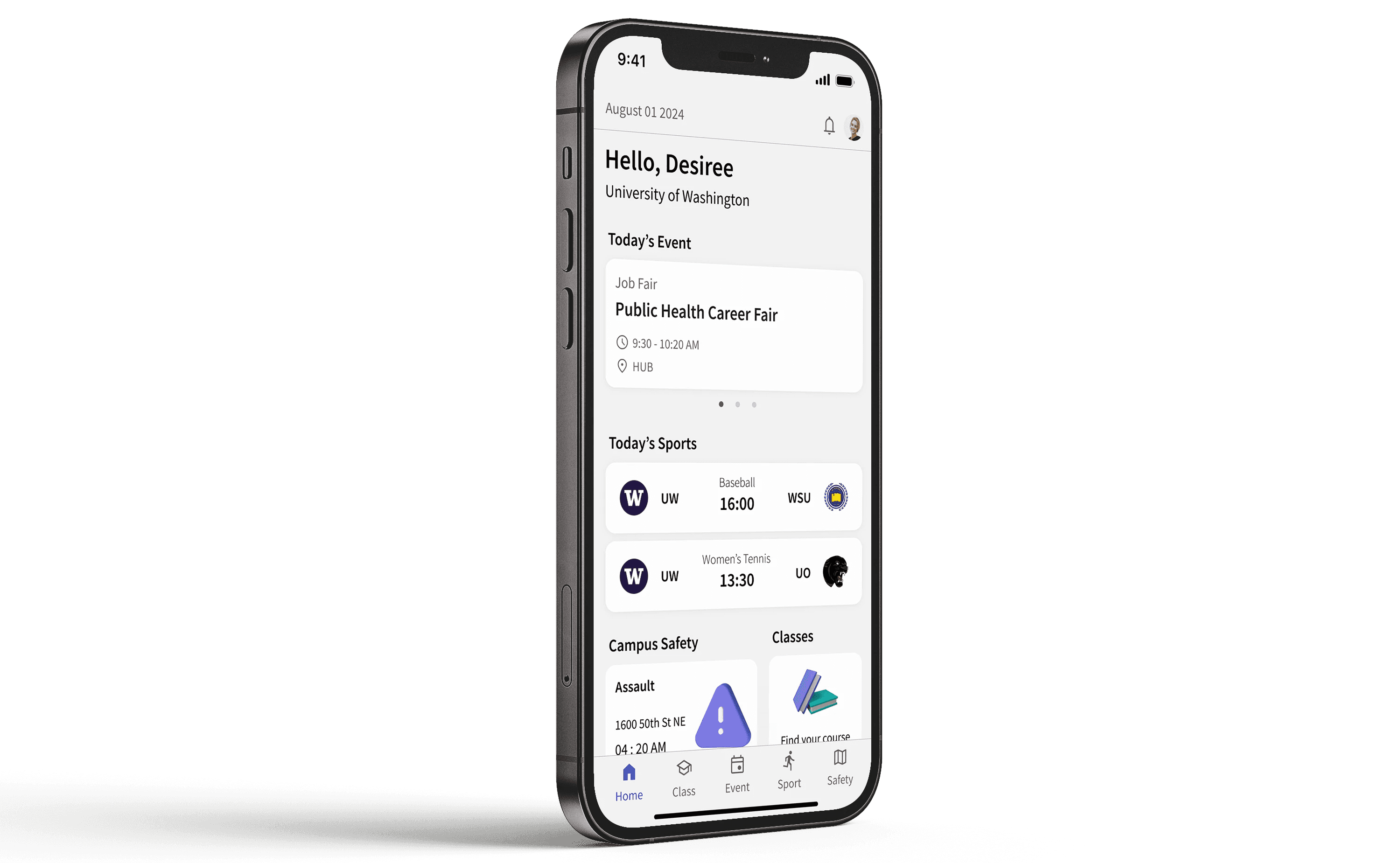
Solution
Designed to Make Campus Life Effortless
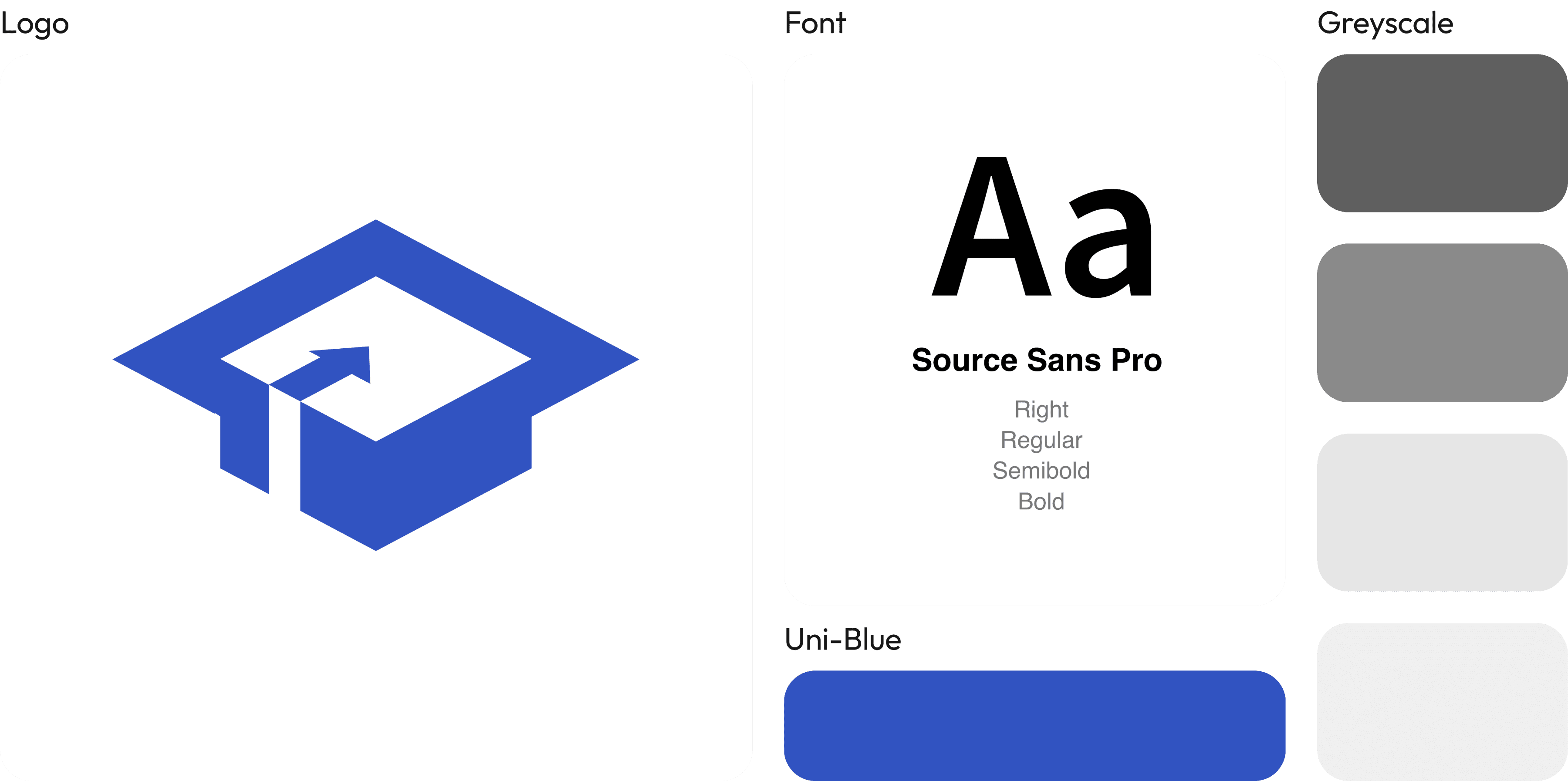
UI elements
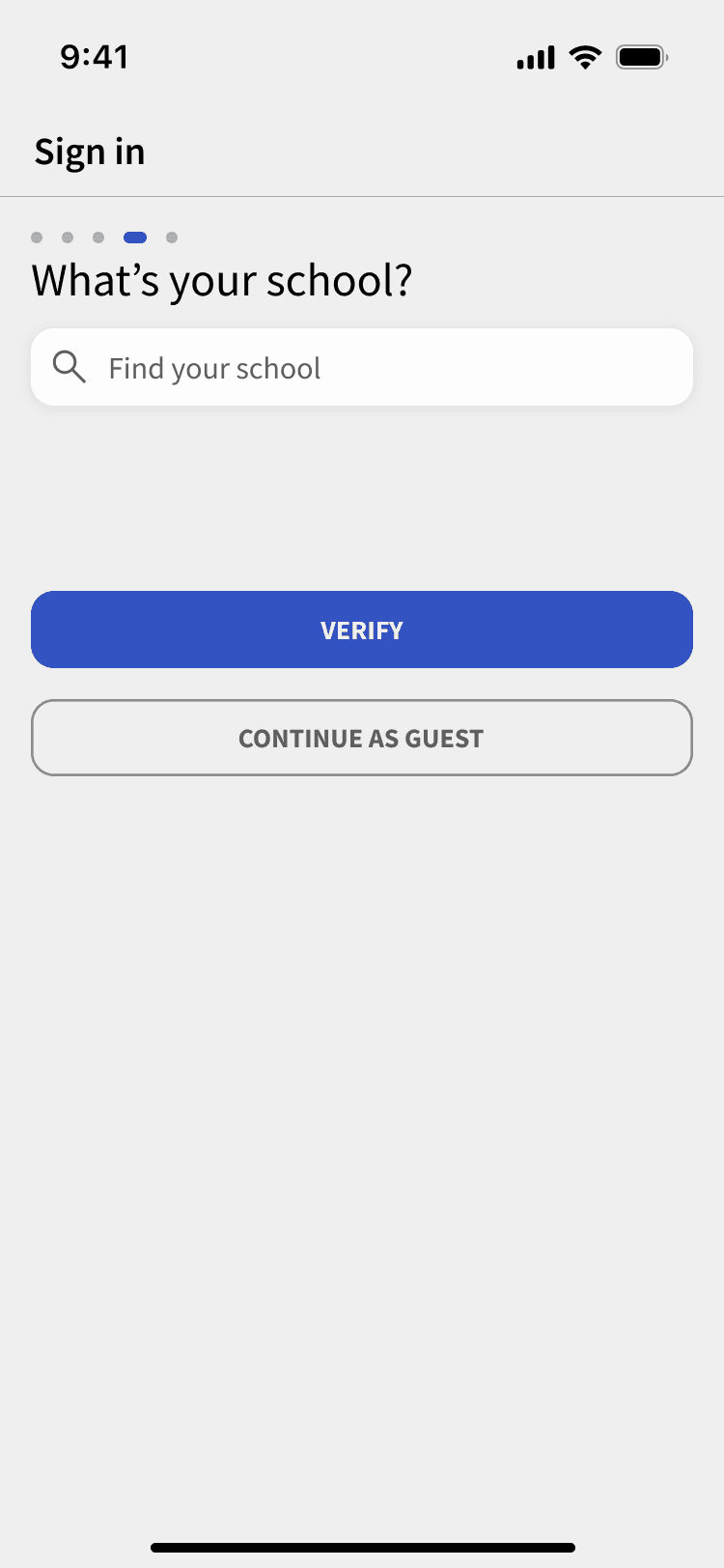
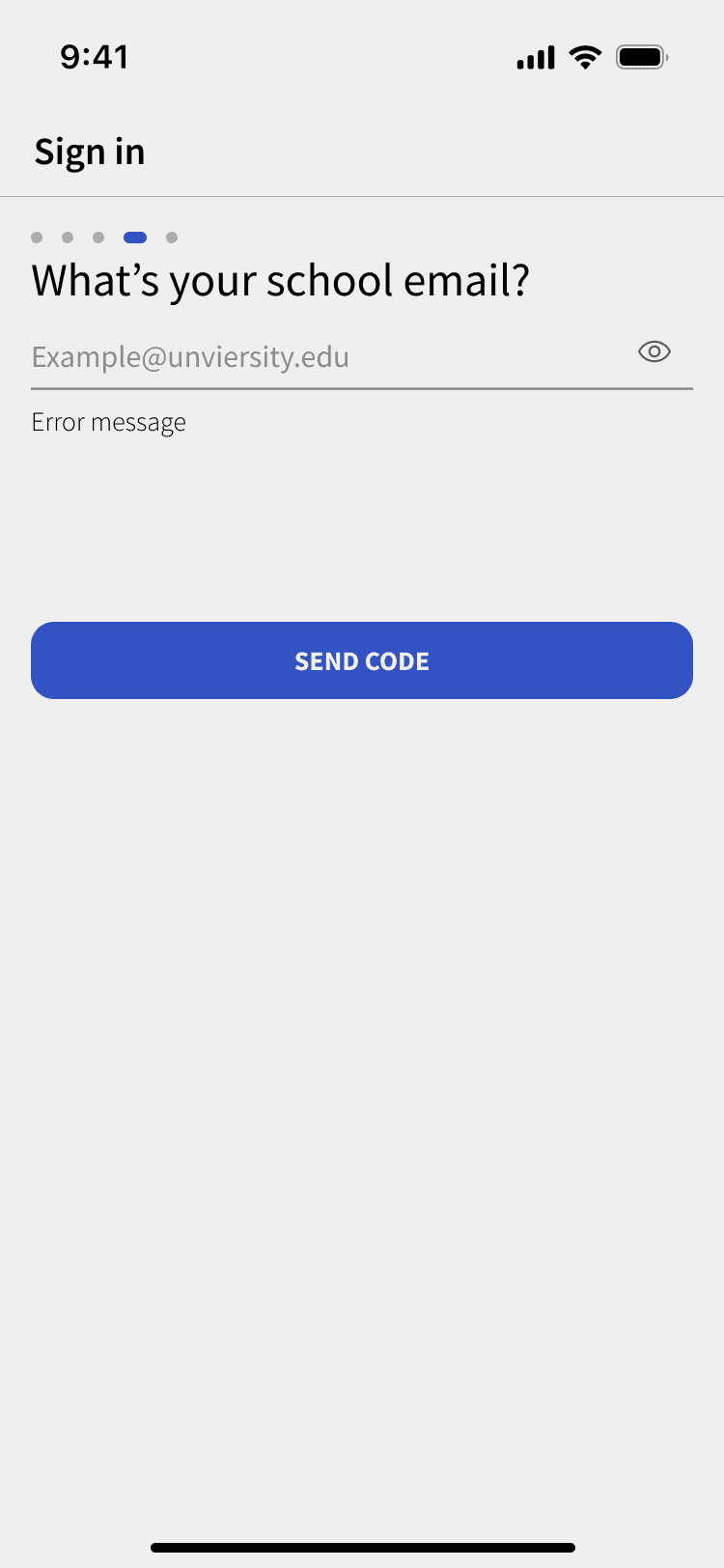
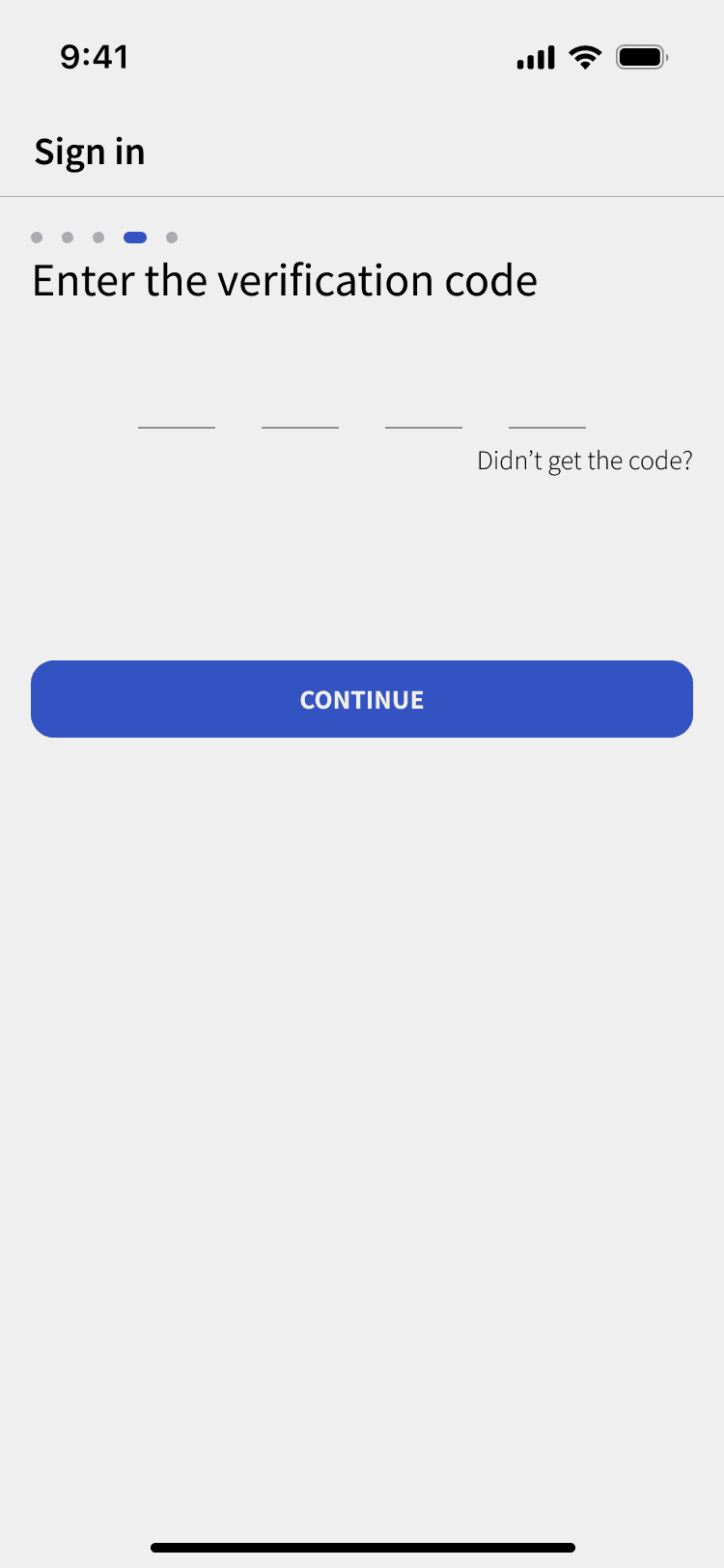
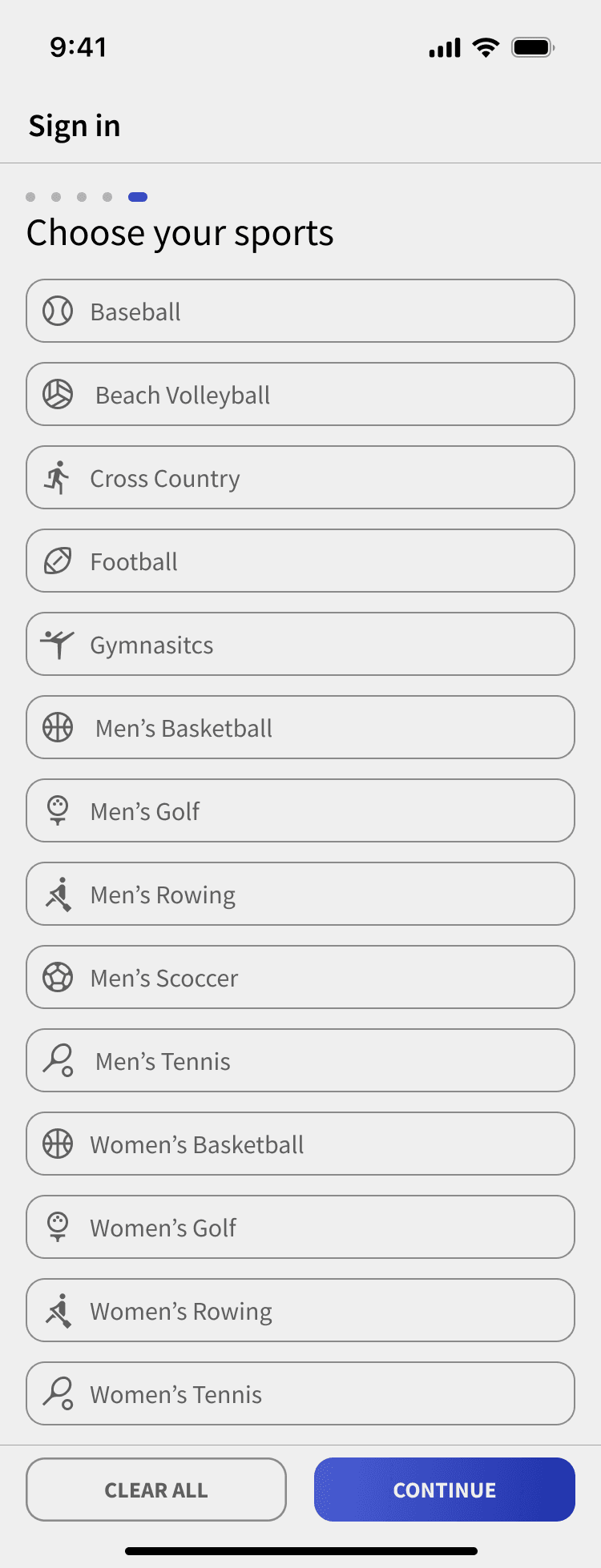
Sign In
Create Your Account
The onboarding flow is designed to balance trust and personalization. Based on interviews, 3 out of 4 students said they needed more reliable campus information. To address this, school verification restricts reviews to verified students, reinforcing credibility and insider-driven content. Users can also select their interests to personalize content such as sports and events. Since the verification process adds extra steps, a progress bar and a “Continue as Guest” option were introduced to reduce friction and drop-off.
Course
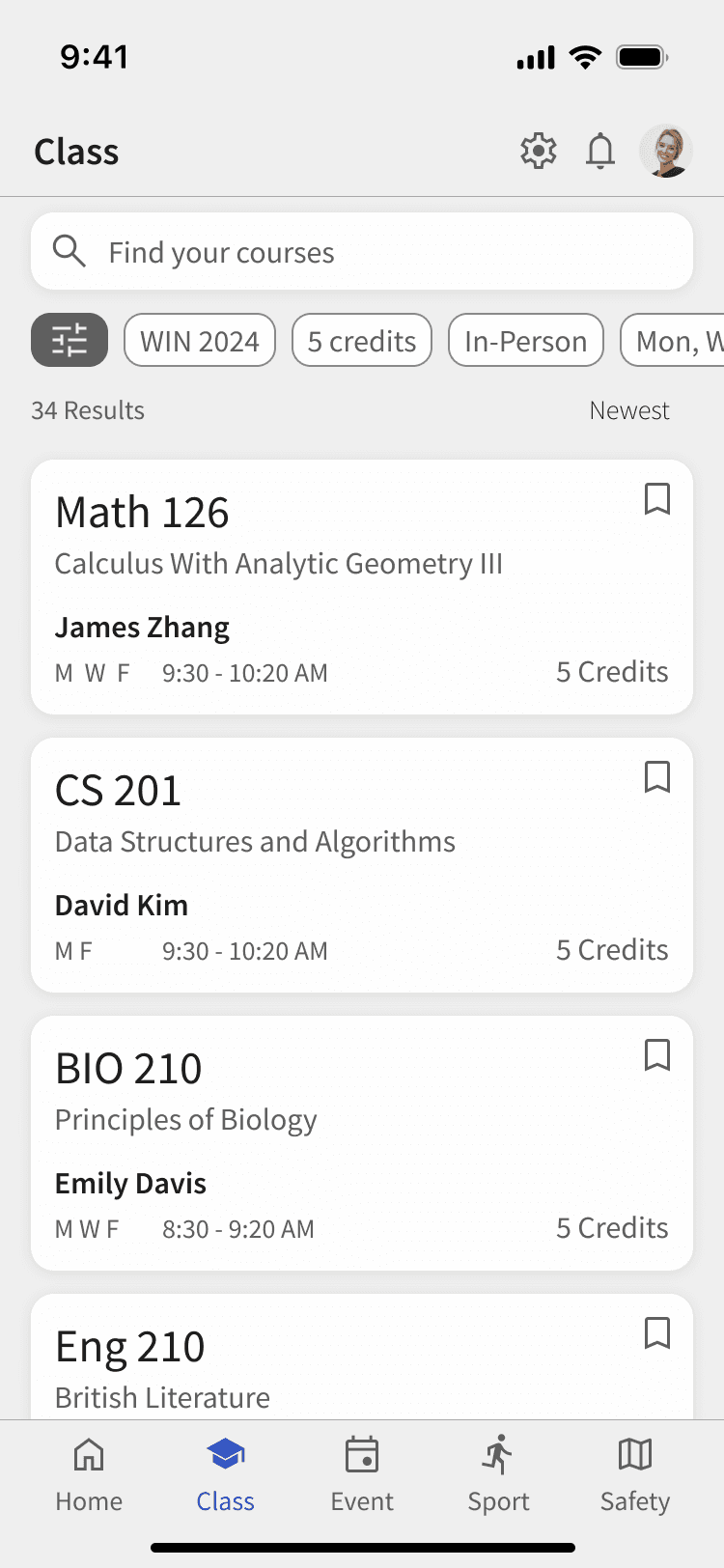
Find Your Courses for University Life
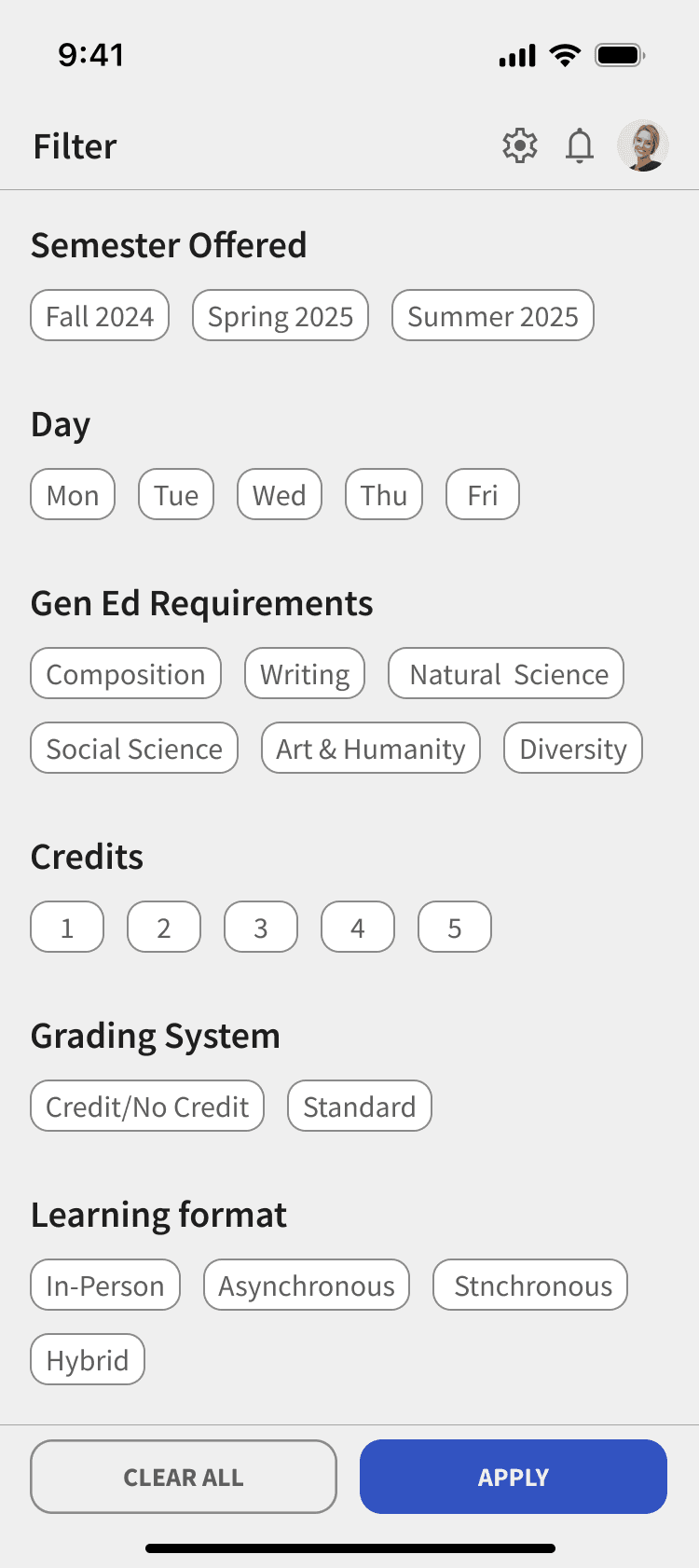
Find Your Courses
A unified course discovery experience that helps students browse, filter, and understand classes before enrollment.

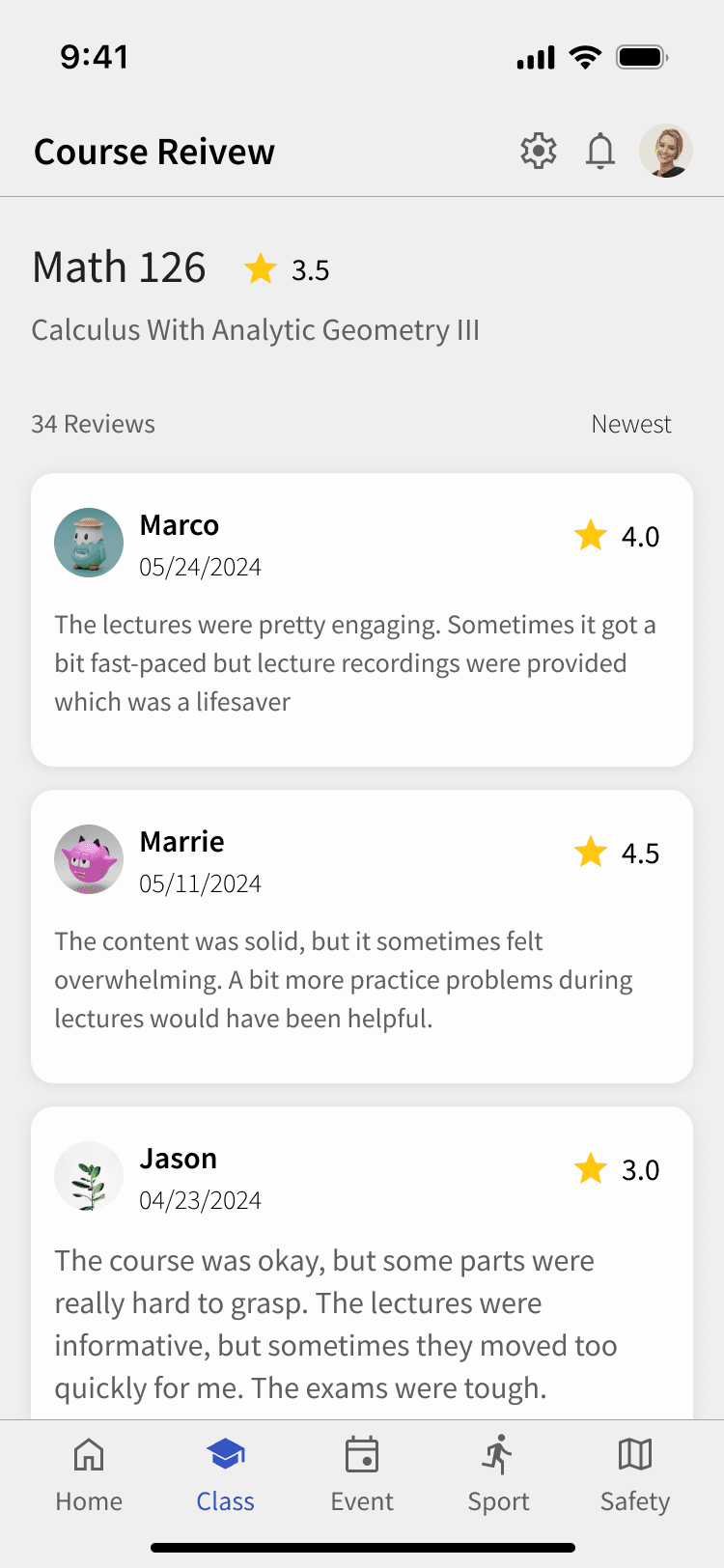
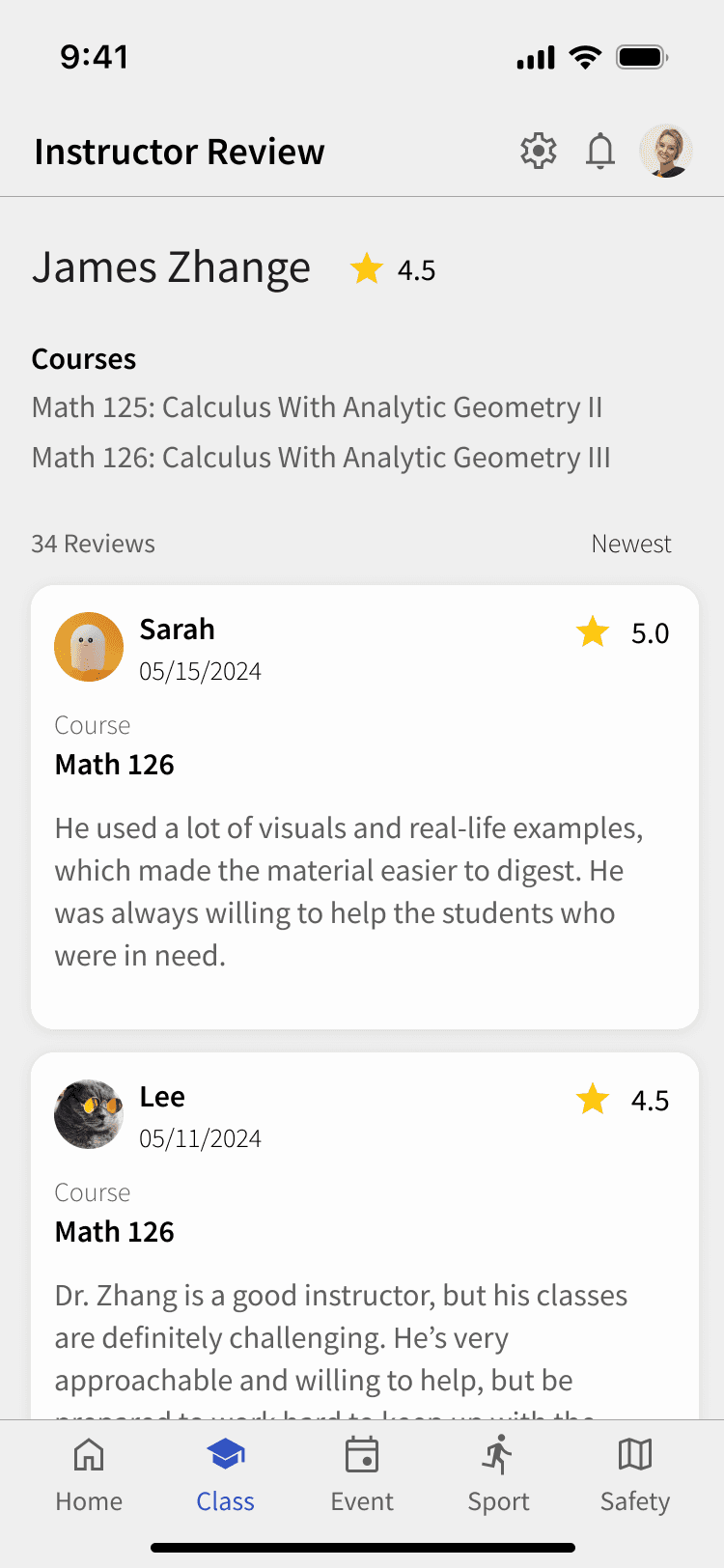
Check the Reliable Reviews
Verified students can share their experiences with courses and instructors, helping others make informed decisions.
Event
Discover Campus Events
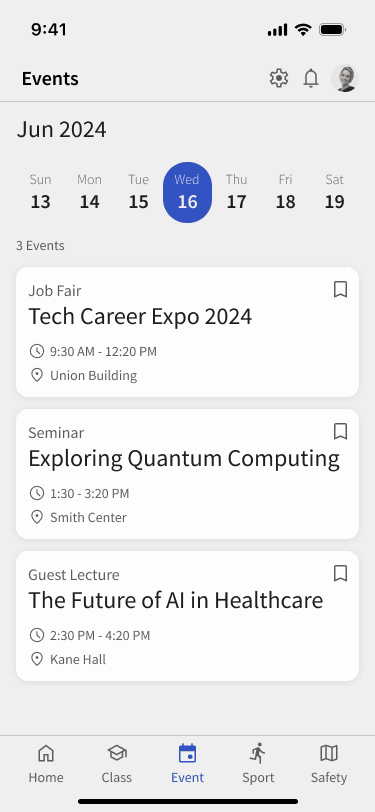
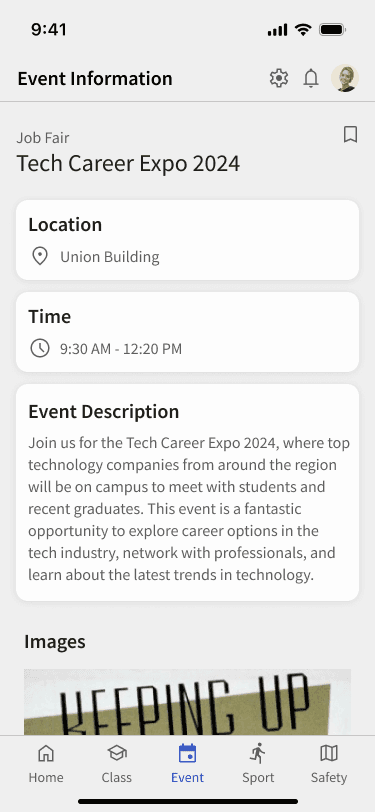
A centralized event hub that helps students discover and manage campus events that are often missed due to fragmented information across platforms. Students can explore, save, and organize events in one place to better plan their schedules.
Sports
Campus Sports Hub
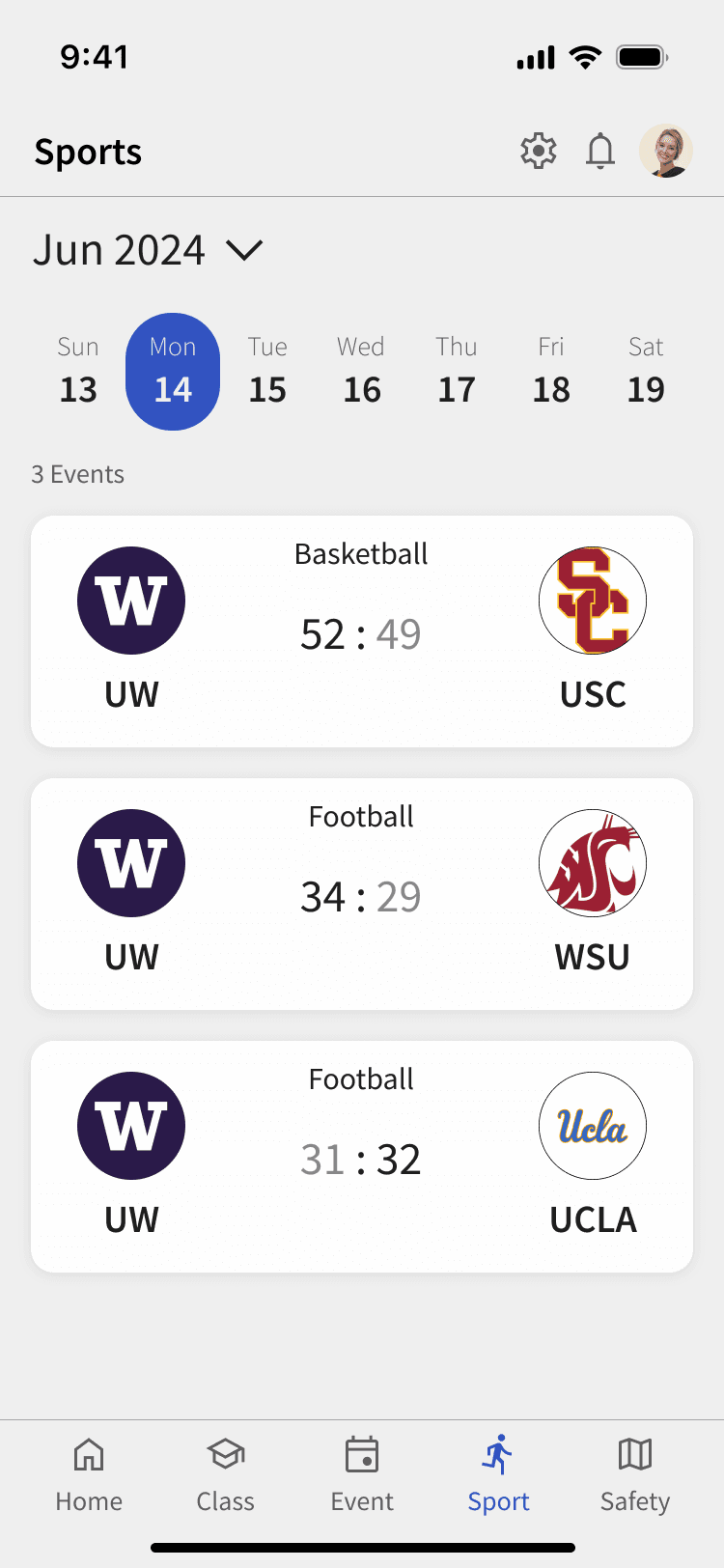
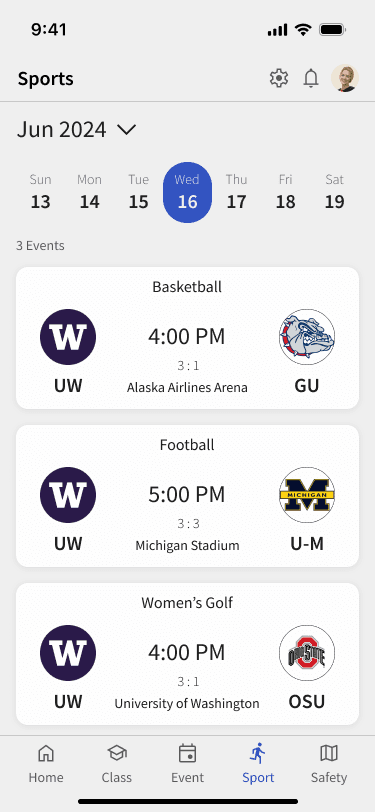
Sports are a core part of campus culture. This Sports Hub brings together game schedules, results, and upcoming matches across teams, helping students stay connected to campus life. By integrating sports into the same hub as events and academics, the app supports a more holistic view of student life in one place.
Map
Campus Safety Guide
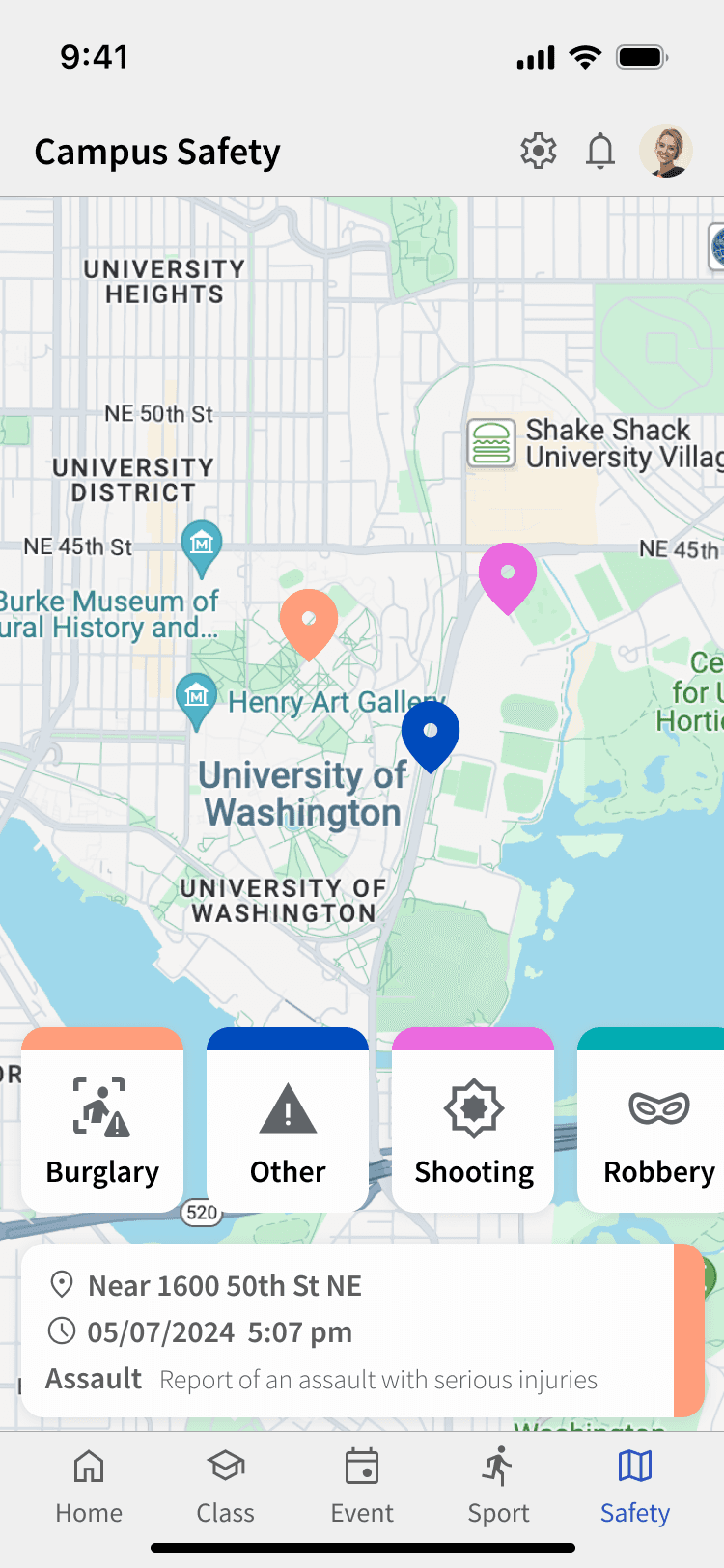
This Campus Safety Guide centralizes recent incident information in a familiar, map-based format, helping students stay informed and make more confident decisions when navigating campus.
By integrating safety into the same hub as events and academics, the app adds everyday value and encourages regular engagement.
Reflection & Learning
If time is allowed…
Create more detailed interactions.
Reflect feedback after conducting usability testing with real users.
Since diversity and accessibility should be more respected within the school, functions to embrace diversity such as improving accessibility are provided.
What I learned
This project was a side project I pursued outside of class. Through it, I learned how to manage my time effectively and define problems clearly. Because there was no set deadline, I had to make all the decisions on my own and communicate them with others. Completing the project taught me the importance of self-direction, and I believe the experience of seeing it through will be a valuable asset for future endeavors.